AI TOOL / #06433
Tali AI
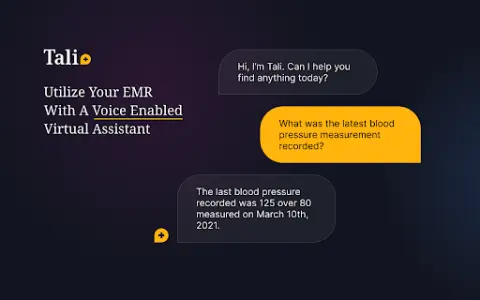
A Chrome extension tool for dictating medical notes and accessing medical databases within EHR systems.
Introduction
Chrome extension for dictating medical notes and accessing medical databases within EHR systems.
What is the Tali AI AI Chrome extension/plugin?
Tali AI is a Chrome extension designed to simplify medical note-taking and information retrieval, built specifically for healthcare professionals. Users can dictate notes directly into electronic health record (EHR) software via voice input and access evidence-based medical database information while using the EHR interface.
How do I use the Tali AI AI Chrome extension/plugin?
1. Install the Tali Chrome extension.
2. Sign in with your Google account.
3. Select a text area in the EHR.
4. Click the microphone icon to start dictating.
5. Speak clearly to enter notes directly into the EHR.
Core features of the Tali AI Chrome extension/plugin
Dictate medical notes directly into the EHR system.
Access evidence-based medical databases within the EHR
Speech-to-text transcription
Google Account integration
Access evidence-based medical databases within the EHR
Speech-to-text transcription
Google Account integration
Related
BuildPrompt
AI-based document analysis and data insight tools.
GoPDF
An all-round PDF editor and AI-powered management tool.
Lóre AI
AI-powered conversion of PDF files into editable Word documents, along with translation services.
Quotemark
An iOS app that uses AI technology to capture, organize, and personalize famous quotes from books.
BringTable
Scan bills with GPT-4, extract the data, and convert it into a table.
Clipboard TTS
A convenient text-to-speech application that offers features designed to assist individuals with reading difficulties, as well as automatic translation capabilities.