AI TOOL / #06136
Ask Screenshot for Gemini
Improve productivity by integrating screenshot and text analysis with Gemini.
Introduction
Enhances productivity by integrating screenshot and text analysis with Gemini.
What is the Ask Screenshot AI Chrome extension/plug-in?
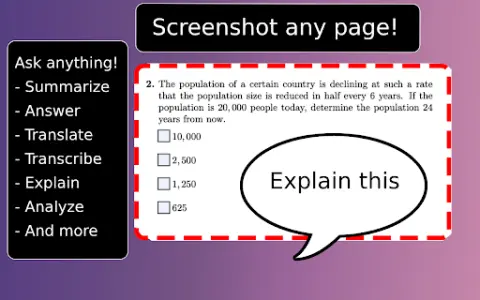
Ask Screenshot is a tool designed to enhance productivity by directly integrating screenshot and text selection analysis with Gemini. It enables users to quickly capture screenshots or select text, and then use Gemini to perform tasks such as summarizing, transcribing, interpreting, translating, or carrying out other operations based on predefined or customizable templates.
How to use the Ask Screenshot AI Chrome extension/plug-in?
To use “Ask Screenshot”, simply right-click on any page and hover over “Ask Gemini” to access the available screenshot templates. For selecting text, right-click on the desired text and hover over “Ask Gemini” to view the available templates.
Explore the core features of the Screenshot AI Chrome extension/plug-in.
Take a screenshot and perform analysis: After capturing the screenshot, Gemini will automatically be used to conduct the analysis.
Select and analyze text: Right-click on any selected text to automatically have Gemini perform the analysis.
Select and analyze text: Right-click on any selected text to automatically have Gemini perform the analysis.
Related
LLM Sandbox by Dioptra
A comprehensive environment designed for organizing LLM data, evaluating prompts, and tracking performance.
Reworkd
Reworkd leverages AI-driven scraping code generation and repair to automate web data extraction.
AnyPicker – A.I. powered No Code Web Scraper
A free and easy-to-use web data scraping tool, equipped with artificial intelligence-driven pattern recognition capabilities.
FlowScraper
A no-code web crawler with AI actions and anti-bot protection.
ANDRE
Automated analysis of survey data using artificial intelligence to generate insights and reports.
Glov
An AI-based e-commerce optimization platform designed to enrich product data and enhance the customer experience.