AI TOOL / #06135
Ask Screenshot for ChatGPT
Improve ChatGPT productivity by analyzing screenshots and selected text.
Introduction
Enhances ChatGPT productivity by analyzing screenshots and selected text.
What is the Ask Screenshot AI Chrome extension/plugin?
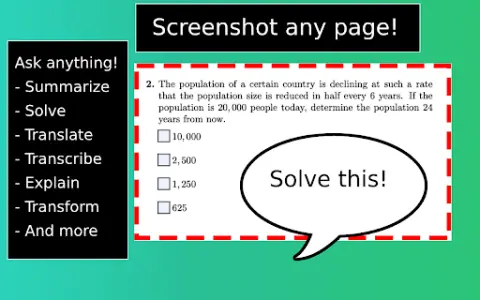
Ask Screenshot is a tool designed to improve productivity in ChatGPT, allowing users to analyze screenshots or selected text directly within ChatGPT. It offers features such as summarization, transcription, and translation, making it easier to extract information and process content from visual and textual sources.
How do I use the Ask Screenshot AI Chrome extension/plugin?
To use Ask Screenshot, right-click anywhere on any page and hover over Ask GPT to access the available screenshot templates. For selected text, right-click the selected text and hover over Ask GPT to view the available templates.
Core features of the Ask Screenshot AI Chrome extension/plugin
Screenshot and analyze: Take a screenshot and automatically open it in ChatGPT for analysis.
Text selection and analysis: Right-click any selected text to automatically open it in ChatGPT.
Text selection and analysis: Right-click any selected text to automatically open it in ChatGPT.
Related
Yoptio
An AI-powered RSS reader that offers clearer and more manageable ways to subscribe to news updates.
Text Explorer
AI-powered tools optimize the reading experience by highlighting relevant information and keywords.
AI Text Summarizer
A free AI text summarization tool that quickly analyzes long texts and helps save time.
AI Summarizer best
Free AI tool designed to summarize long articles and texts, supporting multiple languages.
RSSkit – Refined RSS reader
An RSS reader that features AI-based summarization, reading views, as well as filtering and search capabilities.
AISum
Browser extension that quickly delivers concise news summaries.