AI TOOL / #03976
PowerPost
PowerPost summarizes, translates and allows interaction with articles for quick insights.
Introduction
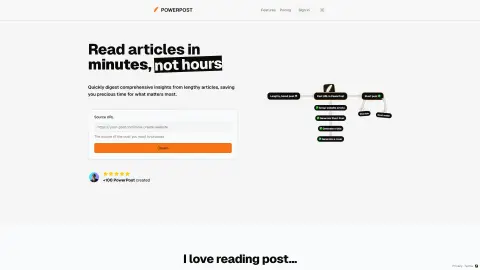
PowerPost summarizes, translates, and allows chatting with articles for quick insights.
What is PowerPost?
PowerPost helps you turn lengthy articles into quick insights. It allows you to bookmark, summarize, translate and interact with posts in your preferred language and style. Designed to help you create content and learn faster by extracting the most important information from articles.
How to use PowerPost?
To use PowerPost, you simply provide the source URL of the article you want to process. PowerPost will allow you to bookmark, summarize, translate and interact with articles. You can also choose different article styles and reading preferences.
PowerPost Core Features
Summary of a lengthy article
Translate posts into different languages
Chat feature to interact with posts
Customizable reading style (color, font, size)
Save post to read later
Content creation assistance
Translate posts into different languages
Chat feature to interact with posts
Customizable reading style (color, font, size)
Save post to read later
Content creation assistance
Related
CinemaLut
Generate a color correction LUT based on the reference image.
Actually Asked
A self-evolving AI FAQ section embedded in a webpage
Superdraft
Help e-commerce businesses identify the right timing for marketing campaigns and craft effective email messages.
Remocn Studio
Let the programming proxy help you create product release videos.
HarnessHive
AI-native wiring harness design collaboration platform
Invited
An AI reminder app that identifies the date based on photos taken.