AI TOOL / #02660
Grok Button
A browser extension that provides quick access to Grok AI.
Introduction
A browser extension for quick access to Grok AI.
What is a Grok Button?
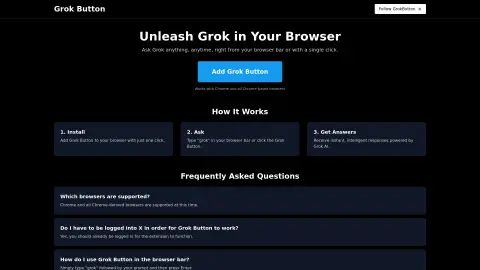
The Grok button is a browser extension that seamlessly integrates the powerful capabilities of Grok AI into your web browser. Users can submit their questions by entering “grok {your question}” in the browser address bar or by clicking the Grok button, and they will receive instant, intelligent responses.
How to use the Grok Button?
Install the Grok button extension. To use it, enter “grok” followed by your question in the browser address bar, then press Enter, or click the Grok button.
The core functionality of the Grok Button
Quickly access Grok AI from your browser.
Answer questions immediately
Integration with Chrome and Chrome-based browsers
Related
Similar Shopify Products
Chrome extension for finding similar products in your Shopify store.
Zint Spotlight – Understand The Business Behind Any Website
Zint provides real-time, AI-powered business insights through Chrome extensions.
AMZScout PRO AI: Amazon Product Research Tool
Amazon product research tool with AI capabilities for finding profitable products.
RateMySite
An AI-powered website analysis and scoring tool focused on design, user experience, and performance.
Heatseeker AI
An AI-powered platform for real-time market testing and customer insights analysis.
Voice-to-voice AI user interviews
An AI-driven research platform designed to facilitate faster collection and analysis of qualitative data.