AI TOOL / #02295
Enigma, ChatGPT Sidebar
The browser extension integrates ChatGPT for a variety of tasks including summarization and content creation.
Introduction
Browser extension integrating ChatGPT for various tasks like summarizing and content creation.
What is Enigma Extension ai chrome extension/plugin?
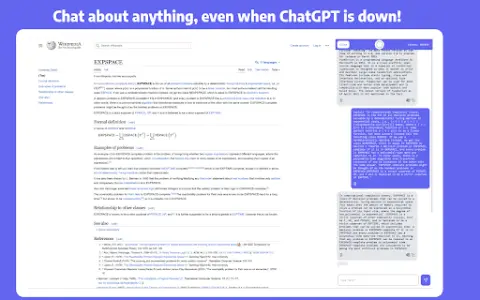
The Enigma extension enhances your browsing experience by integrating ChatGPT directly into your browser. It allows you to interact with PDF files, compose content, summarize web pages, write emails, and more without leaving the current web page. Even in high-demand situations, ChatGPT features are easily accessible via the sidebar or context menu.
How to use Enigma Extension ai chrome extension/plugin?
Install the Enigma extension. Use ctrl+alt+j (ctrl+cmd+j on MacOS) to open the sidebar, or click the Enigma icon. Use the compose tag for content writing. Highlight text to query or translate it.
Enigma Extension ai chrome extension/plug-in core functionality
Talk to PDF files
Summary page
Write blog and social media content
Write and summarize emails
Translate highlighted text
Query highlighted text on any website
Keep chat context separate for each website
Summary page
Write blog and social media content
Write and summarize emails
Translate highlighted text
Query highlighted text on any website
Keep chat context separate for each website
Related
MiniRoom AI – Design Your Room
AI-powered interior design applications offer immediate options for room renovation.
Dymaxion
Artificial intelligence-based online interior design service that provides personalized home aesthetics.
Decorous
An AI-powered interior design app that offers personalized home renovation solutions.
Designify AI
An AI-based interior design platform designed for instant room renovation and modification.
RoomGenius
An AI-powered interior design tool for room redesign and furniture matching.
CamPlan AI
An application that uses AR scanning and AI assistance to create modern floor plans.