AI TOOL / #01477
OppenheimerGPT: two AI brains, one app!
A macOS app for using Google Bard and ChatGPT side by side.
Introduction
macOS app to use Google Bard and ChatGPT side-by-side.
What is OppenheimerGPT?
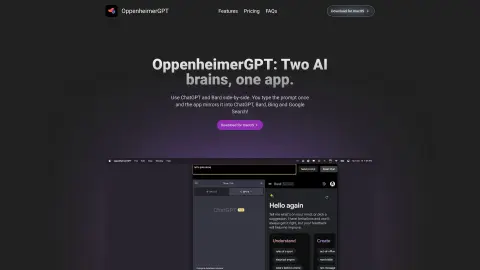
OppenheimerGPT is a macOS app that allows users to use AI models such as Google Bard and ChatGPT side by side. It sends the user’s prompt to both Bard and ChatGPT simultaneously, providing answers from both platforms. The app runs in the menu bar for quick access and supports standalone windows for researching multiple topics. It offers a free basic version and a paid Pro version with additional features.
How do I use OppenheimerGPT?
Enter your prompt in the OppenheimerGPT app, and it will automatically forward the prompt to Google Bard and ChatGPT. Then, submit the prompt to receive answers from both AI models.
Key Features of OppenheimerGPT
A Side-by-Side Comparison of AI Models (ChatGPT and Gemini/Bard)
Tip: Mirror to Multiple AI Platforms
Menu Bar Access for Ease of Use
Supports separate windows for multiple research topics
Tip: Mirror to Multiple AI Platforms
Menu Bar Access for Ease of Use
Supports separate windows for multiple research topics
Related
New Kai Resolve
AI support staff for handling complex tickets
New CreArt
One-stop service for AI-generated images, image editing, and video creation from images
New Beacn
Identifying B2B Buying Signals and Generating Sales Actions
The new Tomo for ChatGPT
In ChatGPT, knowledge is transformed into fun mini-games designed to help users progress through various levels.
GenOffice
Free and open-source AI office suite
Audio Lip-Sync Pro
A locally-installed Blender plugin for generating voice lip-sync animations